Introduction Sri Lanka’s emerald coast, ancient temples, and rolling tea gardens beckon travelers from every corner of the globe. Before you board that flight to Colombo or the bustling Trincomalee seaport, you must obtain an Electronic Travel Authorization (ETA). This online visa is the key that opens the island’s doors for up to thirty days of adventure. Whether you’re a backpacker, a business traveler, or a family on holiday, the process is straightforward—just follow our detailed steps and you’ll be set to explore the pearl of the Indian Ocean.
Quick answer: Visit the official portal eta.gov.lk, select “Tourist ETA,” fill out your passport and travel details, submit, and wait for approval. Travellers from the 40 fee-exempt countries pay nothing; everyone else pays the ETA fee online, about US$50. Print or save the approval, carry it with your passport, and you’re ready to land in Sri Lanka.
What You'll Need
- Valid passport with at least 6 months validity beyond your intended stay
- Recent passport‑size photograph (optional, as the portal now accepts selfies)
- Return or onward ticket confirmation
- Proof of accommodation or contact details in Sri Lanka (hotel booking or host’s address)
- Mobile phone with internet access
- Credit or debit card (Visa, MasterCard, American Express) for payment, if applicable
- Approx. LKR 1,200 (USD 4) for the ETA fee (free for 40 countries)
- Comfortable clothing for the application process (you’ll be typing, not trekking)
Step 1: Verify Your Passport Validity
Before you even open a browser, double‑check that your passport is valid for at least six months from the date you plan to enter Sri Lanka. The immigration officers at Bandaranaike International Airport will not accept passports that expire within six months. If your passport is close to its expiry, consider renewing it at your nearest consulate or embassy. Many countries allow expedited processing if you’re in a hurry.
Step 2: Open the Official ETA Portal
Launch your preferred web browser and type eta.gov.lk. The site is the official portal run by Sri Lanka’s Department of Immigration and Emigration. Beware of phishing sites that mimic the URL; the official page will display a green padlock and the government’s insignia. Once on the homepage, click “Apply for ETA” and choose “Tourist ETA.” The interface is simple, with fields for your personal details, passport number, travel dates, and destination city (Colombo or Trincomalee are the most common).
Step 3: Fill Out the Application Form
Enter your details accurately. The form asks for:
- Full name (exactly as on your passport)
- Passport number, issue and expiry dates
- Nationality and gender
- Travel dates (arrival and departure)
- Destination city (Colombo, Kandy, Trincomalee, etc.)
- Contact details (email, phone)
- Purpose of visit (tourism, business, etc.)
- Accommodation address in Sri Lanka
Double‑check for typos; even a minor error can delay approval. If you’re from one of the 40 free‑visa countries (e.g., UK, USA, Australia, India), you will see “No fee required.” Otherwise, the ETA fee of about US$50 (SAARC nationals such as Bangladesh about US$20) will appear, payable with a credit card.
Step 4: Submit Payment (If Required)
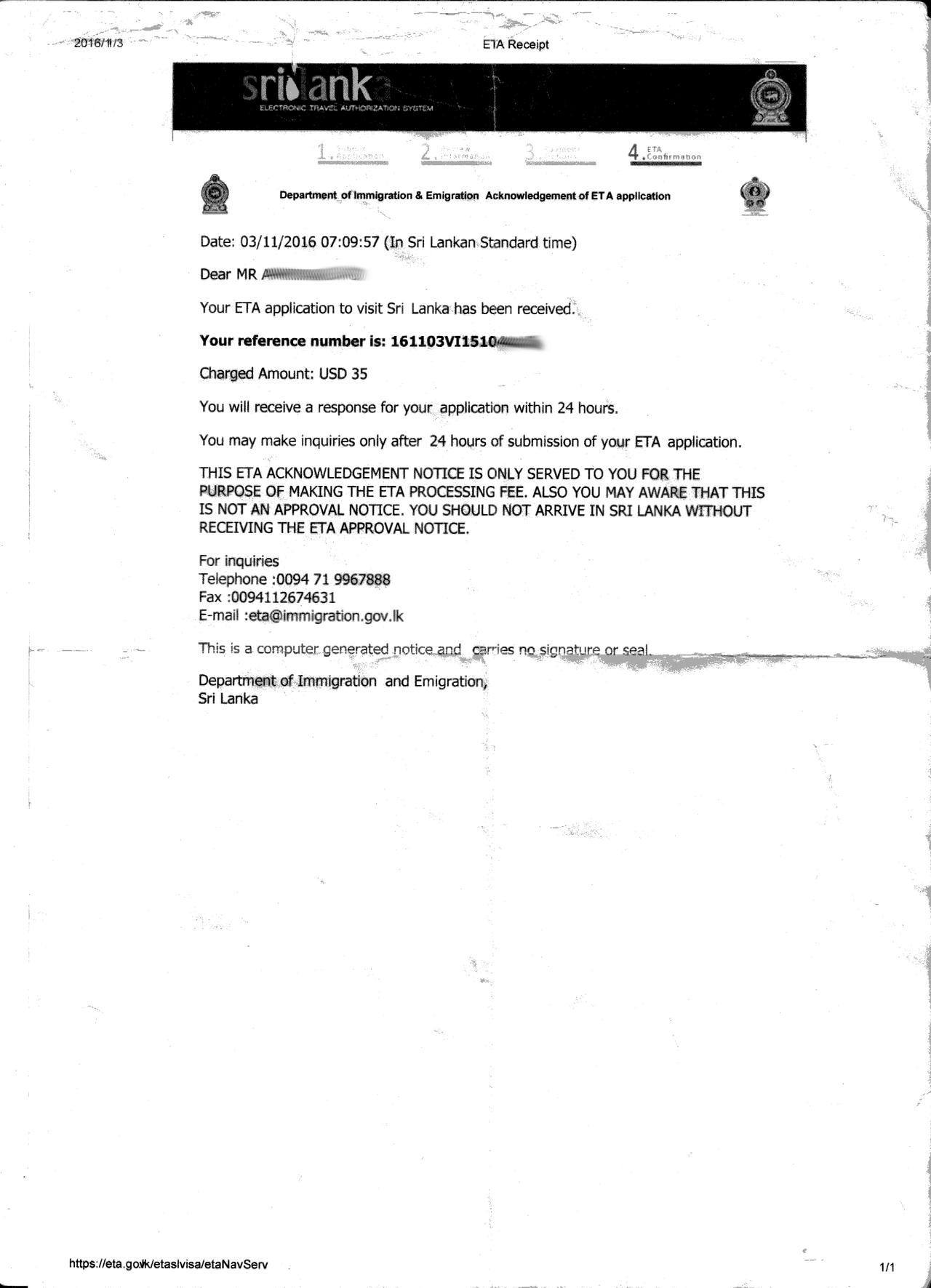
If your nationality is not on the free list, you will be prompted to pay the ETA fee. Use a Visa, MasterCard, or American Express card. The portal accepts card payments up to the local currency limit; ensure your card is enabled for international transactions. After payment, you will receive a confirmation email with a reference number. Keep this email; it’s proof of your transaction.
Step 5: Await Approval
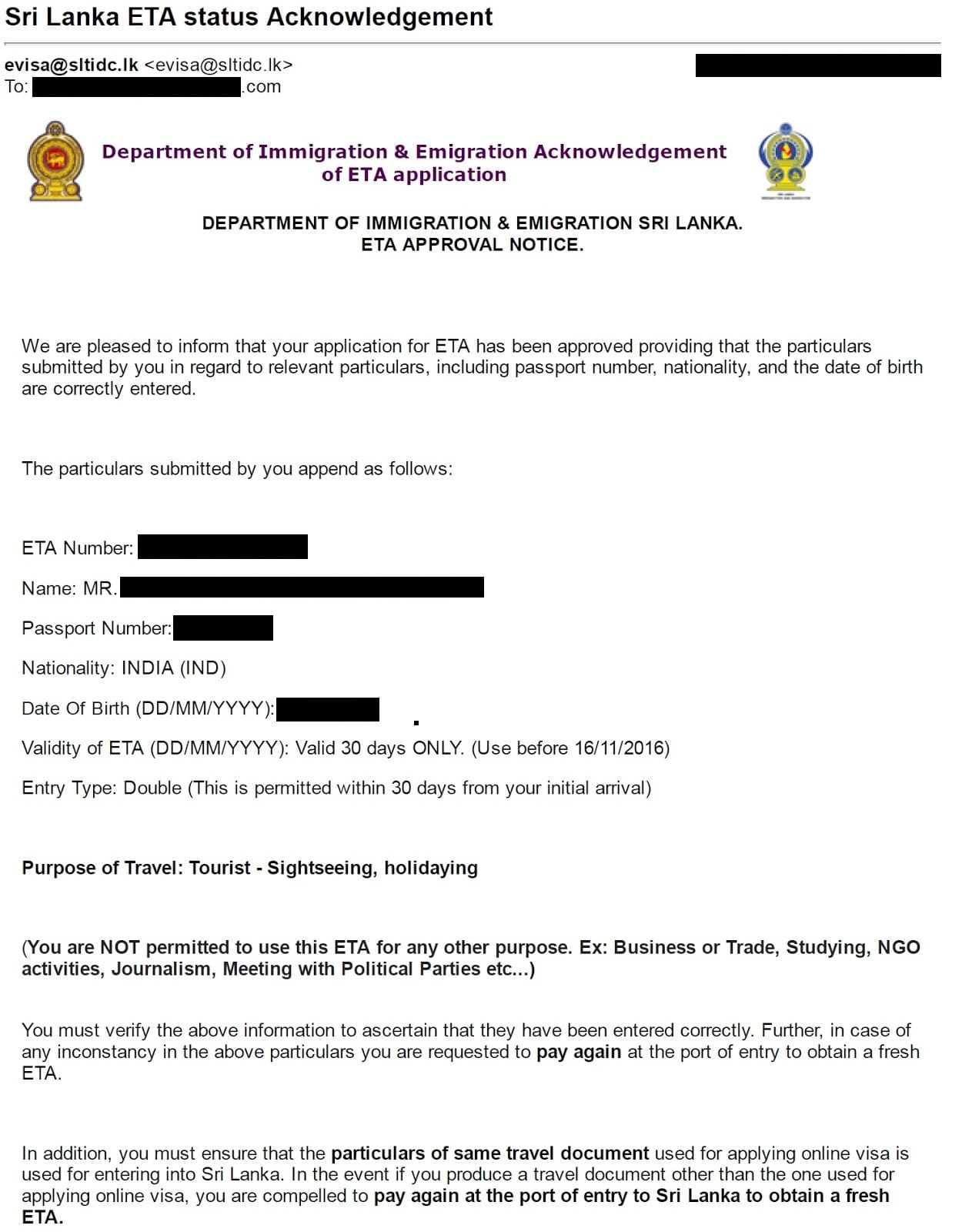
Most applications are processed within 48 hours, but it can take up to 72 hours during peak travel seasons. You can check status by logging back into eta.gov.lk and clicking “Check Status.” If your application is approved, you’ll see a green “Approved” badge and a downloadable PDF. If there are any issues, the system will send you a referral notice with instructions to resolve the problem—usually a simple correction or additional documentation.
Step 6: Print or Save the ETA Approval
Once approved, download the PDF and either print it or save it to your phone. You will need to present this approval to immigration officers at the airport. The PDF contains your ETA number, validity dates, and a QR code that can be scanned. Keep a copy with your passport; it’s the key to smooth entry. If you’re traveling with a group, you can also email the PDF to each traveler, but each person must have their own approved ETA.
Step 7: Prepare for Arrival
Pack your passport, printed or digital ETA approval, and any supporting documents (hotel booking, return ticket). Arrive at Bandaranaike International Airport at least 2 hours before your flight to allow time for check‑in and security. Upon arrival, present your documents to the immigration officer. They will scan your passport, verify the ETA, and stamp your passport for a 30‑day stay. If you have any questions, the officer will guide you; the process is usually swift.
Pro Tips
- Apply Early: Submit your ETA at least two weeks before departure to avoid last‑minute delays.
- Keep Digital Copies: Save the approval PDF in a cloud folder (Google Drive, iCloud) in case you lose your phone.
- Check Travel Restrictions: Before you fly, verify that there are no new health or security advisories affecting your route.
- Use Reliable Wi‑Fi: Avoid public hotspots when entering sensitive information; use your mobile data or a trusted hotel network.
- Have a Backup Card: If your primary card is declined, having a second card can save you from a costly trip to the bank.
- Carry Cash in LKR: Some smaller establishments in Sri Lanka may not accept cards; having LKR 5,000 (USD 17) in small notes helps.
Common Mistakes to Avoid
- Assuming a Visa on Arrival Works: Sri Lanka does not issue tourist visas on arrival for most nationalities; rely on the ETA.
- Using Third‑Party Sites: Stick to eta.gov.lk; third‑party sites often charge extra fees.
- Ignoring Expiry Dates: A passport expiring within six months will be rejected at the gate.
- Forgetting the QR Code: Some airports require scanning; keep the QR code handy.
- Overlooking Return Ticket Proof: You must be able to show proof of departure from Sri Lanka within 30 days.
FAQ
What if my ETA application is rejected?
A rejection may occur due to incomplete information or a mismatch between passport details and application. The portal will send a referral notice explaining the issue. Correct the data, resubmit, and if needed, contact the Department of Immigration via their helpline for assistance.
Can I get a multi‑entry ETA?
The standard tourist ETA allows a single entry for up to 30 days. If you plan to leave and re-enter within those 30 days, a single entry suffices. For multiple entries, you must apply for a different visa type (e.g., a 90‑day visa) through an embassy.
Is an ETA required for transit flights?
If you are transiting in Sri Lanka for less than 24 hours and have a confirmed onward ticket, you do not need an ETA. However, if you plan to leave the airport or stay overnight, you must apply for an ETA in advance.
Can I extend my stay after entering Sri Lanka?
Yes, you can apply for a 30‑day extension at the Department of Immigration office in Colombo or at the airport. Extensions are handled by the Department of Immigration and Emigration in Colombo; fees depend on nationality and length of stay, so check the department's website before you apply.
Do I need travel insurance for the ETA?
The ETA does not require travel insurance, but Sri Lanka recommends it. Many airlines and credit cards offer travel protection, which can cover medical expenses and trip cancellations.
Final Thoughts
Securing an ETA for Sri Lanka is a breeze when you follow the official portal’s steps. By preparing your documents, paying the fee if necessary, and keeping the approval handy, you’ll glide through immigration and dive straight into the island’s wonders. From the golden sands of Trincomalee to the misty heights of Kandy, your adventure awaits—just make sure the gate opens for you first.